



Manchester Data Recovery: Manchester’s Best Desktop Computer Data Recovery Company
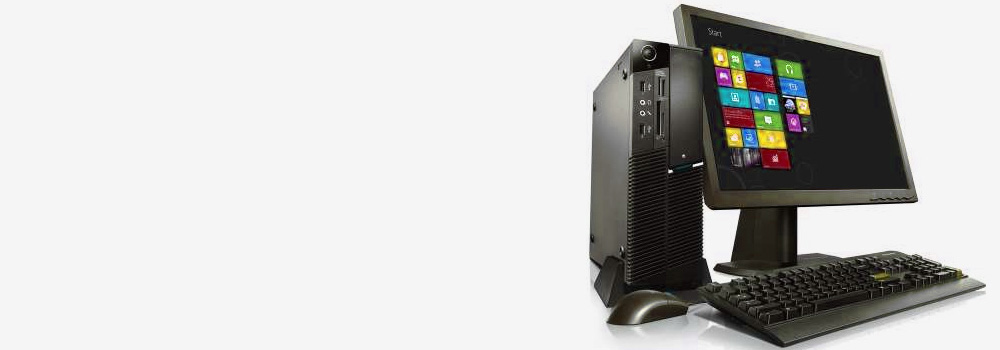
With 25 years of expertise, Manchester Data Recovery is the trusted name in Desktop Computer Data Recovery. Our dedication to data recovery ensures the highest success rates, quick turnaround times, and competitive pricing. Over the years, we have successfully recovered data from tens of thousands of Desktop Computer hard drives, earning the trust of our clients.
Why Choose Manchester Data Recovery?
- 25 Years of Experience: Decades of knowledge and proven results.
- High Success Rate: Expertise in recovering data from a wide range of faults.
- Affordable Pricing: Quality recovery at competitive rates.
- Free Evaluation: Diagnose the issue over the phone or email at no cost.
- Exclusive Focus: Specialising only in data recovery services ensures unmatched expertise.
Desktop Computer Brands We Support
We recover data from all major Desktop Computer brands, including:
1. Dell
- Known For: Reliable business desktops, gaming rigs, and all-in-one PCs.
- Popular Series:
- Dell OptiPlex (Business Use)
- Dell XPS (Premium PCs)
- Alienware (High-End Gaming)
2. HP (Hewlett-Packard)
- Known For: Versatile desktops for business and home users.
- Popular Series:
- HP Pavilion (Everyday Use)
- HP Omen (Gaming and High-Performance)
- HP EliteDesk (Business Desktops)
3. Lenovo
- Known For: Durable and efficient business desktops.
- Popular Series:
- ThinkCentre (Business Use)
- IdeaCentre (Home and Office Use)
- Legion (Gaming Desktops)
4. Apple
- Known For: Sleek designs and macOS integration.
- Popular Series:
- iMac (All-in-One)
- Mac Studio (High Performance)
- Mac Pro (Professional Use)
5. ASUS
- Known For: High-performance gaming and creative desktops.
- Popular Series:
- ASUS ROG (Republic of Gamers)
- ASUS ProArt (Creative Professionals)
- ASUS ExpertCenter (Business Use)
6. Acer
- Known For: Affordable and reliable desktops for home and gaming.
- Popular Series:
- Acer Aspire (Everyday Use)
- Acer Predator (Gaming)
- Acer Veriton (Business Use)
7. MSI (Micro-Star International)
- Known For: High-performance gaming and creator desktops.
- Popular Series:
- MSI Infinite (Gaming)
- MSI Creator (Content Creation)
- MSI Codex (Performance Gaming)
8. Razer
- Known For: Sleek gaming desktops with premium performance.
- Popular Series:
- Razer Tomahawk
9. Corsair
- Known For: Customisable gaming desktops with cutting-edge technology.
- Popular Series:
- Corsair Vengeance
- Corsair One
10. CyberPowerPC
- Known For: Affordable custom-built gaming desktops.
- Popular Series:
- Gamer Master Series
- Syber Series
11. Alienware
- Known For: Dell’s subsidiary for high-performance gaming desktops.
- Popular Series:
- Alienware Aurora
12. Intel NUC
- Known For: Compact and customisable mini-PCs.
- Popular Series:
- Intel NUC Series
13. Gigabyte
- Known For: Gaming and professional desktops with advanced features.
- Popular Series:
- AORUS Series (Gaming)
- Brix Series (Compact PCs)
14. Samsung
- Known For: Innovative all-in-one PCs and creative solutions.
15. Fujitsu
- Known For: Reliable desktops for businesses and professionals.
- Popular Series:
- Fujitsu Esprimo
16. Toshiba
- Known For: Enterprise-grade desktops for businesses.
17. Microsoft
- Known For: Premium desktops with a focus on creativity.
- Popular Series:
- Surface Studio
18. iBUYPOWER
- Known For: Affordable gaming desktops with customisation options.
- Popular Series:
- iBUYPOWER RDY Series
19. Origin PC
- Known For: Custom high-performance desktops for gamers and creators.
- Popular Series:
- Origin Neuron
20. HP Enterprise (HPE)
- Known For: Enterprise-grade workstations and servers.
- Popular Series:
- HP Pavilion Series
- HP Omen Series
- HP EliteDesk Series
- HP Envy Series
- HP ProDesk Series
Common Desktop Computer Hard Drive Issues We Recover From
At Manchester Data Recovery, we specialise in recovering from the following hard drive faults:
- Mechanical Failure
- Symptoms: Clicking or grinding noises, drive not spinning.
- Solution: Requires repair and component replacement.
- Bad Sectors
- Symptoms: Slow read/write speeds, inaccessible files.
- Solution: Use advanced tools to bypass damaged sectors and recover data.
- Firmware Corruption
- Symptoms: Drive fails to initialize or is not recognized.
- Solution: Repair or replace firmware using specialized equipment.
- Logical Corruption
- Symptoms: Missing files, “Drive needs to be formatted” errors.
- Solution: Logical recovery techniques restore file systems and partitions.
- PCB (Printed Circuit Board) Failure
- Symptoms: Drive won’t power on or is not detected.
- Solution: Repair or replace the PCB and recover data.
- Accidental File Deletion
- Symptoms: Deleted files no longer visible.
- Solution: Use recovery software to reconstruct lost data.
- Drive Not Recognized by BIOS/System
- Symptoms: Drive doesn’t appear during boot or in the operating system.
- Solution: Diagnose hardware or software faults for resolution.
- Power Surges or Electrical Damage
- Symptoms: Fried circuits, drive won’t power on.
- Solution: Repair electrical components and extract data.
- Head Crash (HDDs)
- Symptoms: Clicking sounds, data inaccessible.
- Solution: Replace damaged read/write heads.
- Platter Damage (HDDs)
- Symptoms: Scratched platters causing data loss.
- Solution: Use specialiSed tools to recover data from undamaged areas.
- SSD Controller Failure
- Symptoms: SSD not detected by the system.
- Solution: Access NAND flash directly to recover data.
- NAND Flash Wear (SSD Degradation)
- Symptoms: Decreased performance, write failures.
- Solution: Recover data from functional memory cells.
- Accidental Formatting or Initialization
- Symptoms: Partition or file system erased.
- Solution: Rebuild partition tables and recover data.
- Overheating
- Symptoms: Drive shuts down or fails intermittently.
- Solution: Cool the drive and recover data before permanent damage occurs.
- Encrypted Drive Failures
- Symptoms: Unable to unlock or access encrypted data.
- Solution: Use forensic tools to decrypt and recover files.
Top 10 Desktop Computer Hard Drive Types We Recover
Desktop computers utilise a variety of hard drive types for performance and storage needs:
- SATA HDD (Hard Disk Drive): Traditional, high-capacity spinning drives.
- SATA SSD (Solid-State Drive): Reliable and faster than HDDs.
- NVMe SSD (Non-Volatile Memory Express): High-speed SSDs using PCIe.
- M.2 SATA SSD: Compact SSDs with SATA interface.
- M.2 NVMe SSD: Slim, high-speed SSDs for modern systems.
- PCIe AIC SSD: Ultra-fast SSDs in card form for PCIe slots.
- SSHD (Solid-State Hybrid Drive): Combines HDD storage and SSD performance.
- U.2 SSD: Enterprise-grade SSDs for durability and speed.
- PATA/IDE HDD: Legacy drives for older systems.
- SCSI Drives: Used in older workstations and servers.
Our Data Recovery Process
- Free Evaluation
- Diagnose the issue over the phone or email.
- Detailed Analysis
- Comprehensive testing to determine the root cause.
- Advanced Recovery Techniques
- Use state-of-the-art tools to recover data.
- Verification
- Ensure all recovered files are complete and accessible.
- Secure Delivery
- Return data on a new drive or via encrypted online transfer.
Why Professional Recovery Is Essential
DIY recovery attempts often lead to:
- Worsened Damage: Mishandling can further compromise the drive.
- Permanent Data Loss: Unsuccessful recovery attempts overwrite data.
- Complex Issues: Advanced tools are needed for physical or logical faults.
At Manchester Data Recovery, we ensure:
- Secure and professional handling of your hard drive.
- Maximum data recovery success rates.
- Quick turnaround times with transparent communication.
Contact Manchester Data Recovery Today!
Don’t let data loss disrupt your work or business. With 25 years of experience, Manchester Data Recovery is your trusted partner for professional Desktop Computer hard drive recovery services.
Contact us now for a free evaluation and let us recover your data fast and efficiently!