
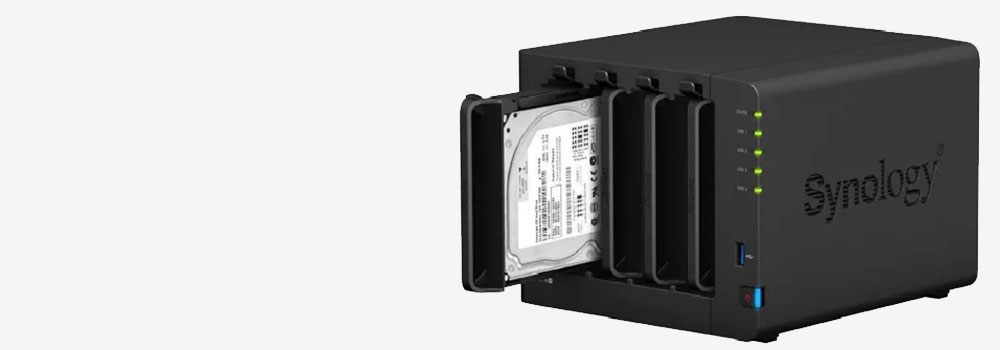

Manchester Data Recovery: Manchester’s Best NAS Recovery Data Company
With 25 years of expertise, Manchester Data Recovery is the leading provider of professional NAS Data Recovery services. We specialize exclusively in data recovery, making us the most trusted and experienced company for recovering data from Network Attached Storage (NAS) systems. Over the years, we have successfully recovered data from tens of thousands of NAS hard drives.
Why Choose Manchester Data Recovery?
- 25 Years of Expertise: Decades of experience in recovering data from complex RAID and NAS setups.
- High Success Rate: Proven track record of resolving even the most challenging NAS failures.
- Affordable Pricing: Quality recovery services at competitive rates.
- Free Evaluation: Fault diagnosis available via phone or email.
- Specialist Services: We focus solely on data recovery, ensuring the highest quality of service.
NAS Systems and RAID Configurations
NAS systems typically use multi-disk RAID configurations, providing data redundancy and improved performance. We support all major RAID setups, including:
- RAID 0: Striped disk arrays for speed, but no redundancy.
- RAID 1: Mirrored disks for redundancy.
- RAID 5: Data striped with parity for fault tolerance.
- RAID 10: Combination of RAID 1 (mirroring) and RAID 0 (striping) for performance and redundancy.
Additionally, manufacturers like Synology and QNAP often implement proprietary RAID systems, which we are fully equipped to handle.
NAS External Drive Models we regularly receive in for recovery
Network Attached Storage (NAS) external drives are popular for personal and business data storage needs. Below are NAS external drive models we receive in for recovery several times per year.
1. Synology
Popular Models:
- Synology DiskStation DS220+
- Features: Dual-bay NAS, Intel Celeron CPU, RAID 0/1 support, 2GB RAM.
- Synology DiskStation DS920+
- Features: 4-bay NAS, Intel quad-core CPU, expandable to 9 drives, 4GB RAM.
- Synology DS218play
- Features: 2-bay NAS, 4K video transcoding, RAID 0/1, 1GB RAM.
2. QNAP
Popular Models:
- QNAP TS-233
- Features: Dual-bay NAS, ARM Cortex-A55 CPU, 2GB RAM, 4K transcoding.
- QNAP TS-453D
- Features: 4-bay NAS, Intel quad-core CPU, 4GB RAM (expandable), 2.5GbE connectivity.
- QNAP TVS-h674
- Features: 6-bay NAS, Intel i5 CPU, ZFS RAID support, 2.5GbE and 10GbE ports.
3. Western Digital (WD)
Popular Models:
- WD My Cloud EX2 Ultra
- Features: 2-bay NAS, Marvell dual-core CPU, 1GB RAM, RAID 0/1.
- WD My Cloud Home Duo
- Features: Dual-drive NAS, centralised storage, easy app access.
- WD Red Pro (Drive Line)
- Features: NAS-optimised HDDs with up to 18TB capacity, RAID compatibility.
4. Seagate
Popular Models:
- Seagate IronWolf Pro NAS Drives
- Features: Optimizsed for RAID setups, AgileArray technology, up to 20TB capacity.
- Seagate IronWolf 510 SSD
- Features: PCIe NVMe SSD designed for NAS caching, 240GB–1.92TB.
- Seagate Personal Cloud Home Media Storage
- Features: Centralised media storage, DLNA streaming, RAID options.
5. Buffalo Technology
Popular Models:
- Buffalo LinkStation 210
- Features: 1-bay NAS, Marvell ARM CPU, RAID support.
- Buffalo TeraStation 5210DN
- Features: Dual-bay NAS, Annapurna Labs CPU, RAID 0/1.
- Buffalo LinkStation 520
- Features: 2-bay NAS, DLNA certified, RAID 0/1.
6. Netgear
Popular Models:
- Netgear ReadyNAS RN214
- Features: 4-bay NAS, ARM Cortex A15 CPU, 2GB RAM, RAID 0/1/5/10.
- Netgear ReadyNAS RN628X
- Features: 8-bay NAS, Intel dual-core CPU, 4GB RAM, 10GbE ports.
- Netgear ReadyNAS 2304
- Features: Rack-mounted 4-bay NAS, Intel Atom CPU, RAID 5/6.
7. LaCie
Popular Models:
- LaCie 2big RAID
- Features: Dual-bay RAID, Thunderbolt 3, up to 20TB.
- LaCie 6big RAID
- Features: 6-bay RAID, enterprise drives, Thunderbolt 3, up to 108TB.
- LaCie Rugged RAID Pro
- Features: Portable RAID with USB-C, shock-resistant.
Top 10 Types of NAS Hard Drives we receive in for recovery
NAS systems use specific hard drives optimized for continuous operation and high reliability. Here are the top 10 NAS hard drive types:
- Seagate IronWolf
- Designed for 24/7 use in NAS systems.
- Features AgileArray technology for improved RAID performance.
- Western Digital (WD) Red
- Optimised for NAS systems with 1-8 bays.
- Provides enhanced reliability for continuous operation.
- Toshiba N300
- High durability and workload capability for NAS.
- Synology HAT5300
- Proprietary drives designed for Synology NAS systems.
- Seagate IronWolf Pro
- Enterprise-grade NAS drives with higher workloads and durability.
- WD Red Pro
- Suitable for large NAS systems and demanding workloads.
- Toshiba MG Series
- Enterprise-class drives compatible with larger NAS arrays.
- Hitachi Ultrastar (HGST)
- High-performance drives for enterprise and NAS applications.
- Samsung 870 QVO (SSD)
- SSDs optimised for NAS environments with low power consumption.
- Kingston DC500R (SSD)
Common NAS Hard Drive Issues We Recover From
Network Attached Storage (NAS) systems often utilise RAID configurations for redundancy and performance. However, issues can arise that lead to data loss, necessitating professional data recovery services. Below are the top NAS hard drive faults that commonly require the expertise of our Raid engineers:
1. Multiple Drive Failures in RAID Arrays
- Description: Two or more drives fail simultaneously in a RAID 5 or RAID 10 configuration, causing the entire array to become inaccessible.
- Impact: Loss of redundancy and inability to rebuild the RAID.
- Solution: Advanced recovery tools to extract data from remaining functional drives.
2. RAID Controller Failure
- Description: The hardware RAID controller malfunctions, leading to an unrecognizable array.
- Impact: Data inaccessible due to corrupt RAID metadata.
- Solution: Rebuild the RAID structure using specialised software.
3. RAID Rebuild Failure
- Description: Rebuilding a RAID array fails, often due to incorrect drive replacement or further drive issues during the rebuild process.
- Impact: Data corruption or loss during rebuild attempts.
- Solution: Manual reconstruction of the array by professionals.
4. Logical Corruption
- Description: File system or partition errors within the RAID array.
- Impact: Files become inaccessible or appear corrupted.
- Solution: Logical recovery to repair file systems and restore access.
5. Accidental RAID Initialisation
- Description: The RAID array is accidentally initialized or reconfigured, overwriting vital metadata.
- Impact: Loss of RAID configuration and data.
- Solution: Recover and rebuild original RAID parameters.
6. Disk Removal or Reordering
- Description: Drives are removed or reinserted in the wrong order.
- Impact: RAID configuration becomes unreadable.
- Solution: Identify the correct drive sequence and reconstruct the array.
7. Firmware Corruption
- Description: Drive firmware malfunctions, causing individual drives or the entire array to fail.
- Impact: Drives are no longer recognised by the system.
- Solution: Repair or update drive firmware using specialised tools.
8. Bad Sectors on Drives
- Description: Physical or logical errors on the platters cause read/write failures.
- Impact: Slower performance or inaccessible data.
- Solution: Bypass bad sectors to extract data from healthy areas.
9. Parity Drive Failure (RAID 5/6)
- Description: The parity drive responsible for data redundancy fails.
- Impact: Loss of the ability to rebuild data in case of additional drive failures.
- Solution: Reconstruct parity data using specialised recovery software.
10. Drive Not Recognized by NAS
- Description: One or more drives in the RAID array are not detected by the NAS system.
- Impact: RAID becomes degraded or inaccessible.
- Solution: Recover data from functional drives and diagnose hardware issues.
11. Power Surges or Electrical Damage
- Description: Voltage spikes damage the NAS hardware or individual drives.
- Impact: Drives fail to power on or are partially corrupted.
- Solution: Replace damaged components and recover data.
12. Overheating
- Description: Prolonged heat exposure causes drive failure or degradation.
- Impact: Drives fail one by one, leading to complete array failure.
- Solution: Stabilise the drives and recover data from functional sectors.
13. Platter Damage (HDDs)
- Description: Scratches or physical damage to platters cause data loss.
- Impact: Specific data areas become unreadable.
- Solution: Use specialised equipment to read undamaged platter areas.
14. Head Crash (HDDs)
- Description: The read/write head contacts the platter surface, damaging data.
- Impact: Clicking noises and inability to access data.
- Solution: Repair and data extraction from healthy platters.
15. SSD Controller Failure
- Description: The controller chip in an SSD malfunctions, preventing access to stored data.
- Impact: Entire SSD may become unreadable.
- Solution: Direct access to NAND chips for data extraction.
16. NAND Flash Wear (SSDs)
- Description: Excessive read/write cycles degrade SSD memory cells.
- Impact: Write failures and reduced performance.
- Solution: Recover data from healthy memory cells.
17. Water or Liquid Damage
- Description: Spillage or flooding causes short circuits in the NAS system.
- Impact: Drives fail or become partially corrupted.
- Solution: Dry and repair drives in a controlled environment before recovery.
18. Encrypted RAID Failures
- Description: Issues with the RAID encryption key or software prevent access.
- Impact: Data inaccessible without the correct decryption process.
- Solution: Forensic recovery tools to decrypt and recover data.
19. RAID-Z or Proprietary RAID Issues
- Description: Failures in non-standard RAID configurations like ZFS-based RAID-Z.
- Impact: Data inaccessible due to unique configurations.
- Solution: Custom tools and expertise to rebuild proprietary RAID arrays.
20. Malware or Ransomware Attacks
- Description: Malicious software encrypts or corrupts RAID data.
- Impact: Data becomes locked or unusable.
- Solution: Analyze malware impact, recover unencrypted data, or attempt decryption.
Why Professional Help Is Essential
- Complexity: RAID arrays are intricate and require specialized tools and knowledge.
- Data Integrity: Improper handling can overwrite data and make recovery impossible.
- High Success Rates: Our Professionals ensure maximum data recovery with minimal risk.
Our NAS Data Recovery Process
- Free Diagnostics: Initial evaluation over the phone or email.
- Comprehensive Testing: Identify the root cause of failure.
- Advanced Recovery Techniques: Use cutting-edge tools for physical and logical recovery.
- Verification: Ensure all recovered files are intact and usable.
- Secure Delivery: Return data via new drives or encrypted online transfer.
Why Professional Recovery Is Essential
NAS systems are complex, and DIY recovery attempts often result in:
- Data Overwriting: Incorrect actions can overwrite existing data.
- Further Damage: Mishandling RAID arrays or drives can worsen the issue.
- Permanent Loss: Unsuccessful attempts can make recovery more difficult.
With our 25 years of expertise, Manchester Data Recovery ensures:
- Safe handling of NAS systems.
- Advanced tools for RAID-specific issues.
- Maximum data recovery success rates.
Contact Manchester Data Recovery Today!
Don’t let NAS data loss affect your work or personal life. With decades of experience and state-of-the-art tools, Manchester Data Recovery is your trusted partner for professional NAS data recovery services.
Contact us today for a free evaluation and fast, reliable data recovery!